Screenshots that say what you mean.
KelpShot is a fast, native screenshot tool for macOS. Capture any area, window, or a whole scrolling page, mark it up, hide what's private, and share it in seconds.
Free early access for macOS 14 Sonoma or later on Apple silicon · every feature included · meet the supporters
Not signed by Apple yet, so opening it takes one extra step
-
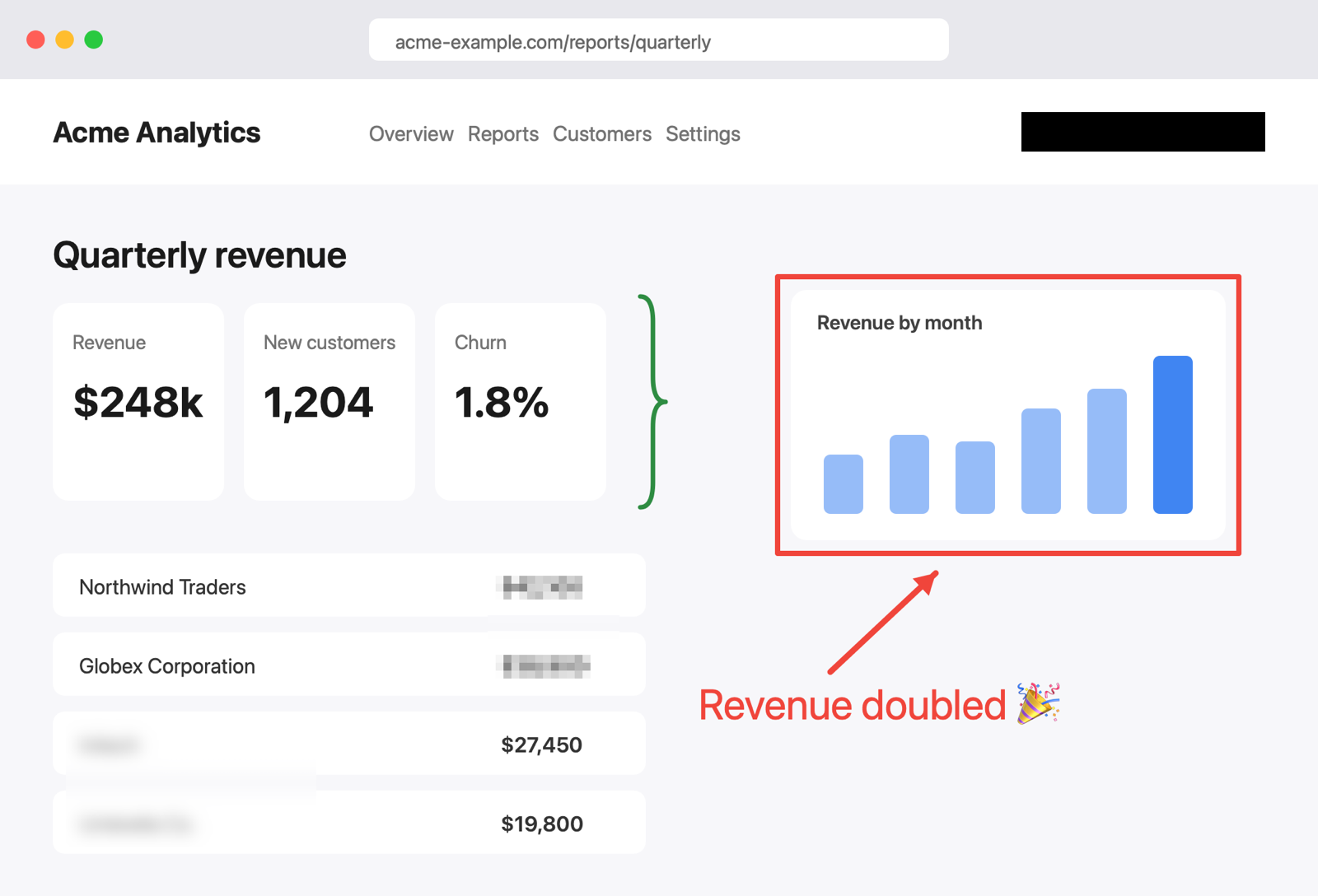
Rectangle R
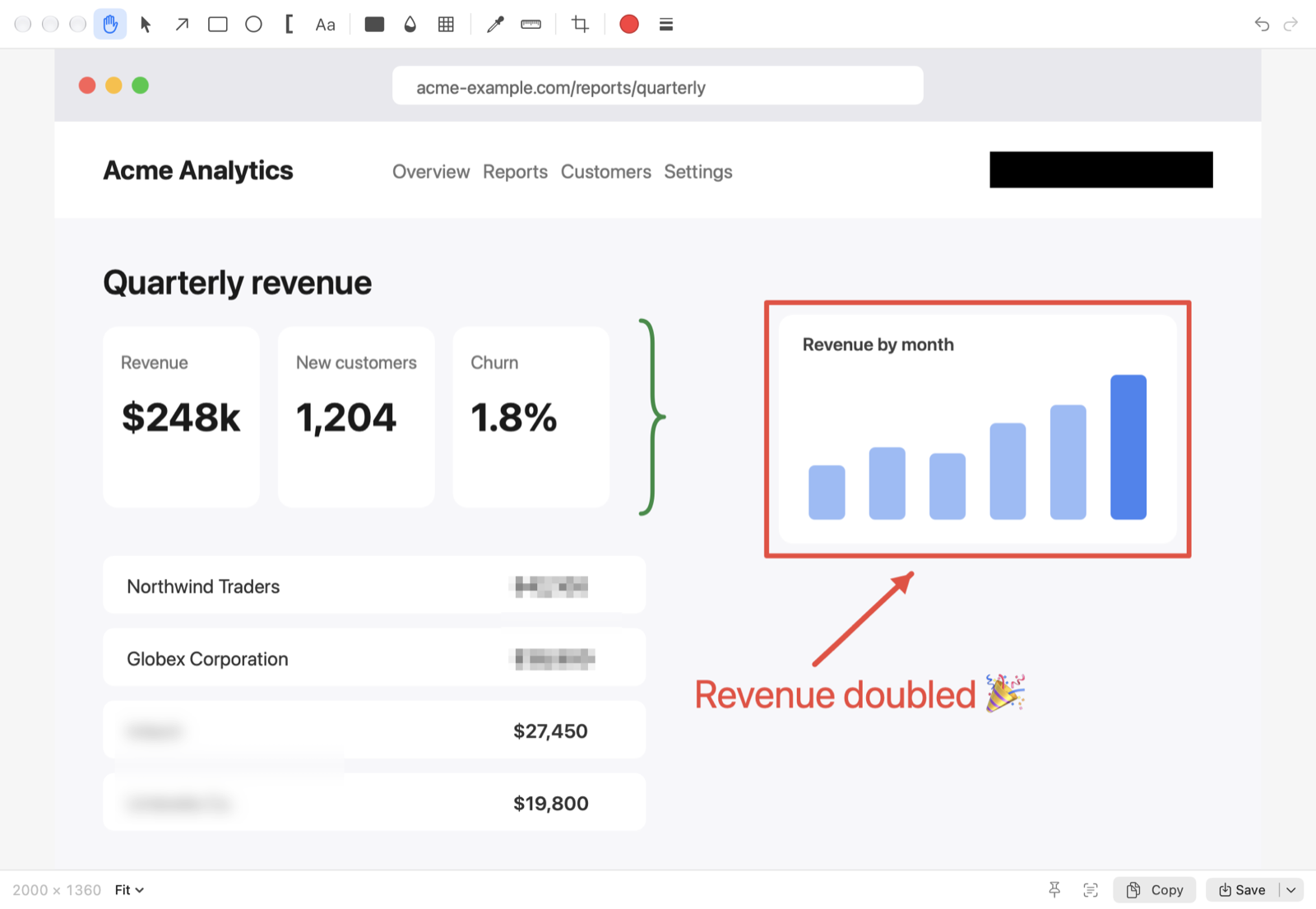
Frame what matters, in any color and line width. -
Arrow A
Point the way. Drag past the edge and the canvas grows to fit. -
Text T
Type right on the image; color and size update as you edit. -
Curly brace K
Group related items with [ ] or { } brackets. Press K again to switch shape. -
Redact X
A solid block that permanently hides emails, names, and keys in every export. -
Blur B
Soften distracting details. Cosmetic only: use Redact for anything private. -
Pixelate P
Mosaic a region while keeping the layout readable. Cosmetic only. -
Text recognition (OCR) ⌃⌥⌘O
Drag over any text, like this heading, and KelpShot copies it. Runs on your Mac.
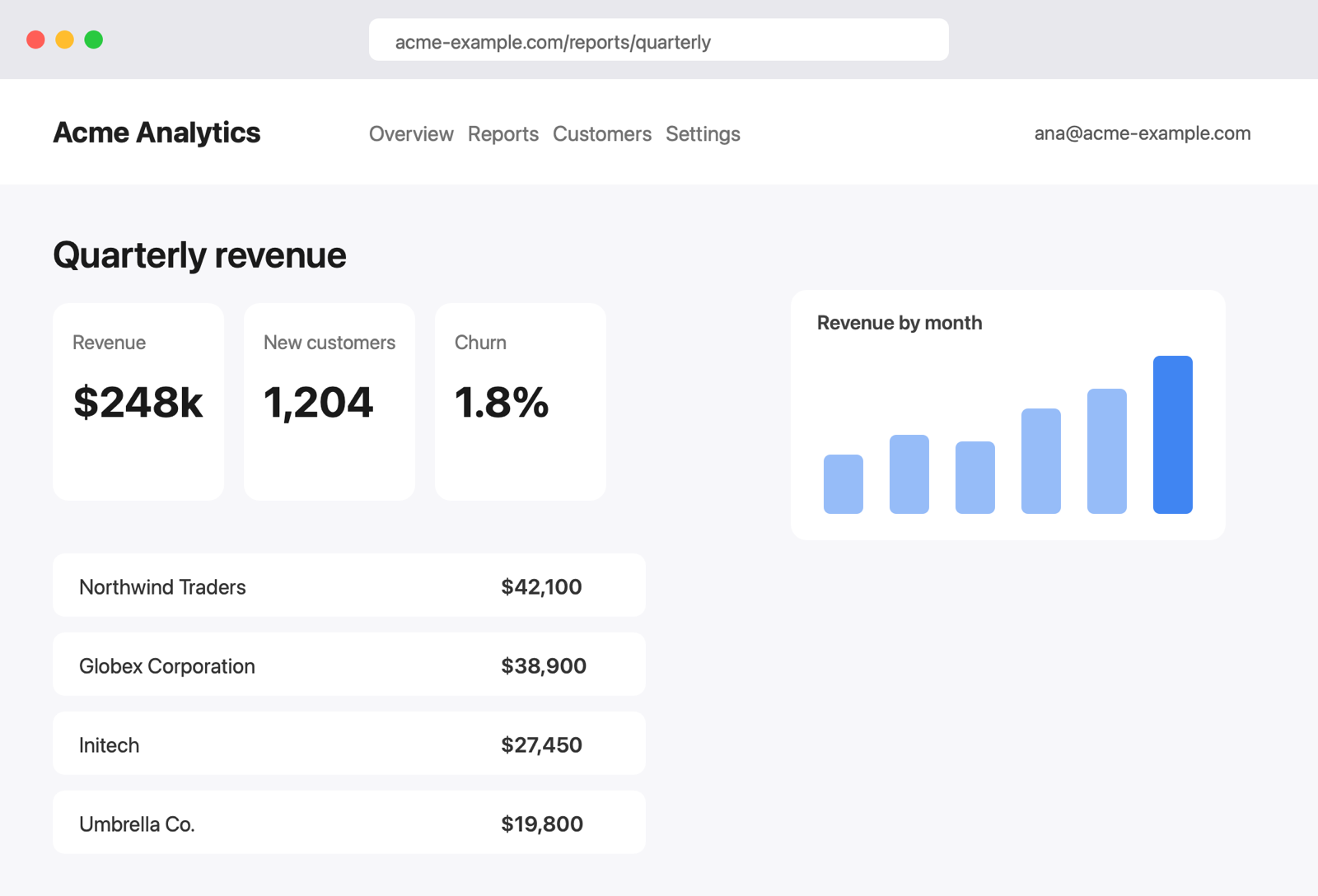 Your screenshot
Drag the handle to compare · hover the numbers to see each toolthe numbers are explained below
Everything you need. Nothing in the way.
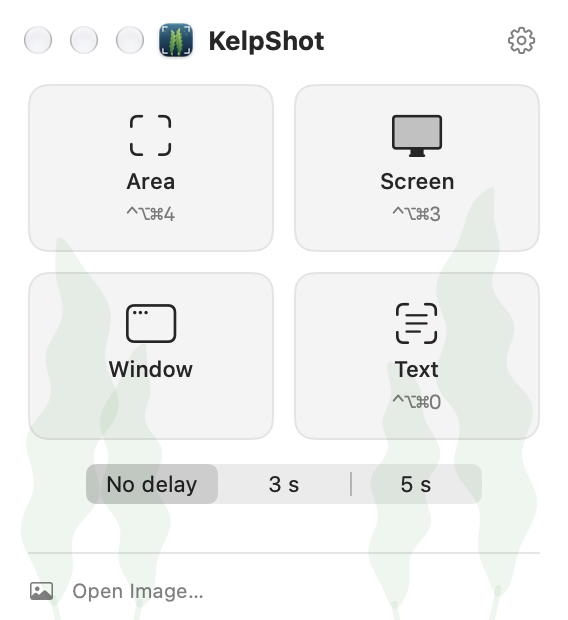
Press a shortcut, drag, done. KelpShot stays in your menu bar and opens the editor only when you want it.
Area, window, or screen
Precise area selection with a magnifier and live coordinates, one-click window capture, delayed capture, and Repeat Area.
Scrolling capture
Scroll through a long page or chat and KelpShot stitches it into one tall, seamless image.
Annotate clearly
Arrows, rectangles, ovals, brackets, braces, and text in any color and size. Draw past the edge and the canvas grows to fit.
Redact what's private
A solid redaction hides emails, names, and keys in every export, including the before/after GIF. Blur and pixelate are visual effects, not a privacy guarantee: blurred text can sometimes be recovered.
Copy text from anything
Select an area and KelpShot reads the text and QR codes right on your Mac, ready to paste anywhere.
Pin, pick, measure
Pin screenshots above other windows, pick any color as HEX or RGB, and measure distances in pixels.
A focused editor, one shortcut away
Every tool is a single key: A for arrows, R for rectangles, K for brackets, T for text. Undo anything, then copy, save, or drag the result straight into Slack or Mail.
Private by design
Your screenshots are yours. KelpShot works entirely on your Mac.
- No account, no cloud upload, no tracking in the app.
- Text recognition runs on-device with Apple's Vision framework.
- Captures stay in memory until you copy, save, or drag them out.
- Diagnostics record events and sizes only. Never images, text, or clipboard contents.
- Native Swift app, built for macOS. Small, fast, and light on battery.
Help KelpShot get signed by Apple
To ship a Mac app without the "unverified developer" warning, Apple charges a $99 yearly developer fee for signing and notarization. KelpShot is built by one person, and that fee is the only thing standing between the early access and a proper release.
Goal: $99 · Apple Developer Program, one year
Every donation goes to that fee first. When it's covered, the signed and notarized version ships as a free update for everyone, and anything beyond the goal goes into keeping KelpShot maintained.
How to claim it: after you donate, email [email protected] with the name you donated under, how you'd like to appear on the wall (any name, or anonymous), and an optional link. Please don't put your email in the Ko-fi message, which can be public. Your email is never shown or shared.
Pay once. Keep it.
Try every feature free for 30 days. After that KelpShot keeps working and kindly reminds you once a week until you buy a license. License checkout opens soon; until then, a donation is the best way to support KelpShot.
Personal
$8.99 one-time
For one person, on up to 2 Macs.
- Every feature, no reminders
- All 1.x updates included
- Personal and commercial use
Supporter
$18.99 one-time
Everything in Personal, plus you help KelpShot grow.
- Early access to new features
- Priority email support
- Our sincere thanks
Prices in USD; local taxes are added at checkout. 14-day money-back guarantee. See the refund policy.
Questions
Why does macOS warn me when I open KelpShot?
The early access isn't signed and notarized by Apple yet, which costs developers $99 a year. Opening it takes one extra step in System Settings; the install guide shows how. Once the $99 goal is reached, the signed version arrives as a free update.
Is KelpShot a subscription?
No. You pay once and keep the version you bought forever, including every 1.x update.
What happens after the 30-day trial?
Nothing is locked. KelpShot keeps every feature and shows a small reminder about once a week. A license removes the reminder and supports development.
How many Macs can I use?
A license is for one person on up to 2 Macs they own. Keys are checked on your Mac, with no activation server: enter the key on the Macs you use, and remove it from one you no longer use (Settings ▸ Remove License) before adding another.
Does KelpShot need an internet connection?
No. Capturing, editing, text recognition, exporting, and entering a license key all work offline. KelpShot doesn't contact any server.
Which permissions does KelpShot need?
Screen Recording, so it can capture your screen. macOS asks once; KelpShot never records audio or video. Scrolling capture by dragging to the screen edge and Auto scroll also need Accessibility, and KelpShot asks only when you use them.
Who sells KelpShot?
License checkout isn't open yet. When it opens, orders will be processed by Lemon Squeezy, our reseller and Merchant of Record, who handles payment, invoices, and sales tax. Donations toward the $99 goal go through Ko-fi and are gifts, not purchases.
How do I get help?
Email [email protected]. We usually reply within two business days.